

1) Goto Start >> Run >> Type regedit >> hit Enter
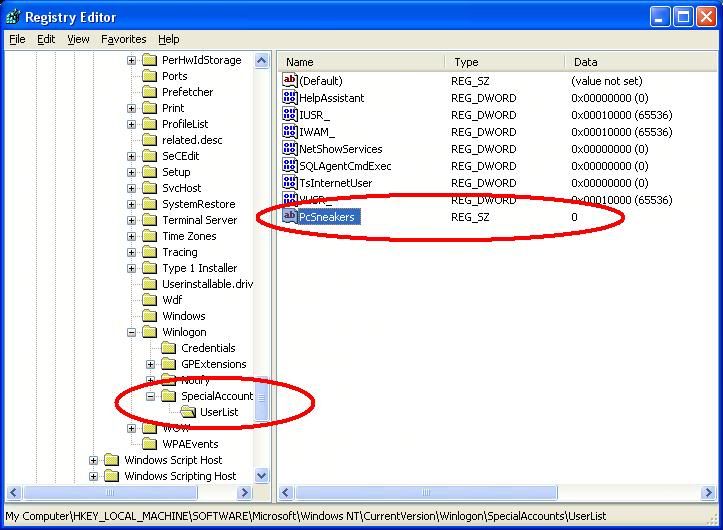
2) HKEY_LOCAL_MACHINE >> Software >> Microsoft >> WindowsNT >> CurrentVersion >> Winlogon >> SpecialAccounts >> UserList
3) In the Right pane, Right click >> New >> String Value
3) In the Right pane, Right click >> New >> String Value
4) Type the Name of the Account you want to hide, hit Enter then Right click on the String Value again and Change value to 0 which hides it. If you want it to be Visible to all, enter the Value as 1.
5) Now Save and Exit the Registry and Logoff.
6) Goto welcome screen and Hit ctrl+alt+del twice to bring up Logon prompt. Type hidden Accounts name and password.
Enjoy!!


0 komentar:
Speak up your mind
Tell us what you're thinking... !