

1. Open Registry Editor
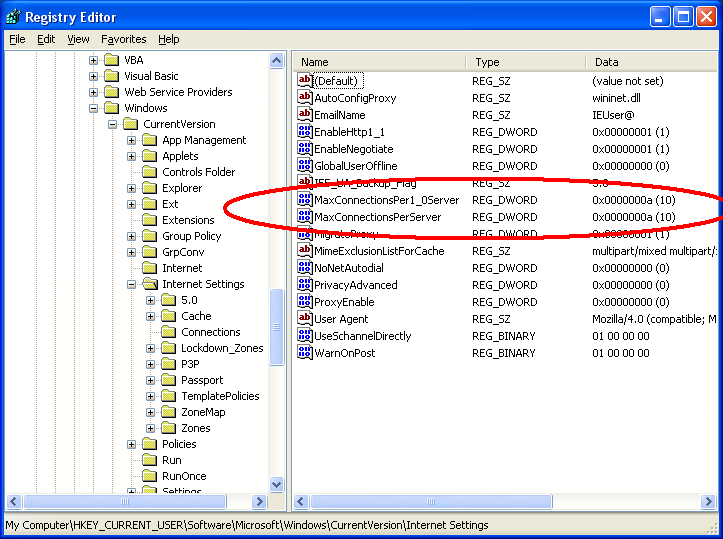
2. Go to:-
HKEY_CURRENT_USER\Software\Microsoft\Windows\CurrentVersion\Internet Settings
3. On the right-hand side pane, right-click and go to New >> Dword value, and then add the following registry values:
"MaxConnectionsPer1_0Server"=Dword:0000000a
"MaxConnectionsPerServer"=Dword:0000000a
4. Refresh Registry Editor and exit.


0 komentar:
Speak up your mind
Tell us what you're thinking... !