

1. Go to Start >> Run >> Regedit
2. Go to HKEY_CURRENT_USER >> Software >> Microsoft >> Windows >> CurrentVersion >> Policies >> Explorer
3. Now, At right side, create a new DWORD value NoFolderOptions and set its value to 1.
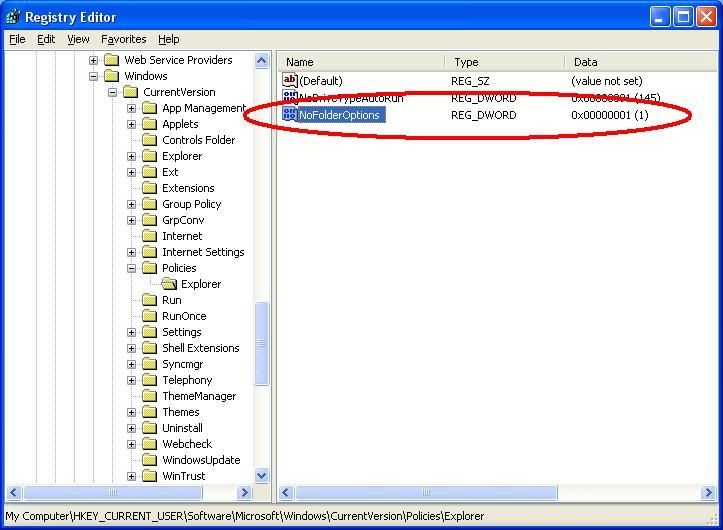
Thats it, you have now successfully disabled folder options in windows under Tools –> Folder Options.
Note: If due to some virus your folder option gets disabled, you can try the above steps to restore or enable folder options. You only need to set the NoFolderOptions value as 0 in this case.


0 komentar:
Speak up your mind
Tell us what you're thinking... !