

1) Open Registry editor.
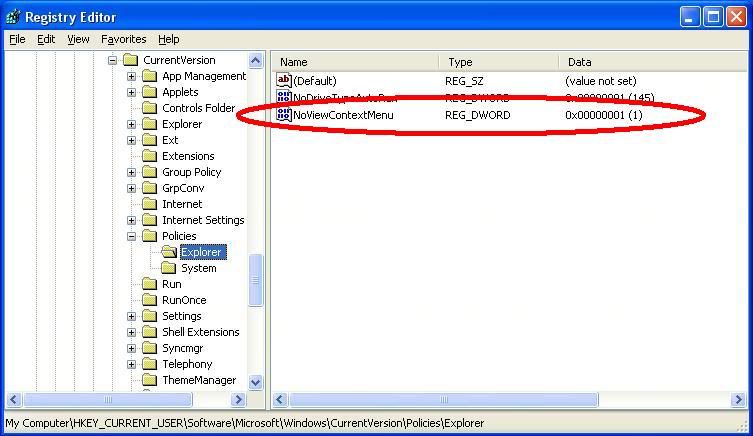
2) Go to HKEY_CURRENT_USERS >> Software >> Microsoft >> Windows >> CurrentVersion >> Policies >> Explorer
3) Click on Explorer and in the right-side panel right-click and Create a new DWORD value named NoViewContextMenu(type it as it is) and set its value as 1.
4) Refresh and then close registry editor and restart laptop.


0 komentar:
Speak up your mind
Tell us what you're thinking... !