

By default windows XP disables this option to reload automatically all the previously opened windows, when you restart your computer.
Process:-
1) To edit this feature, you will need to be logged into your computer with administrative rights.
2) Go to Start >> Control Panel. >> Folder Options >> Click on View tab.
3) Under the Advanced setting section, tick mark the “Restore previous folder windows at logon” option and then click Ok.
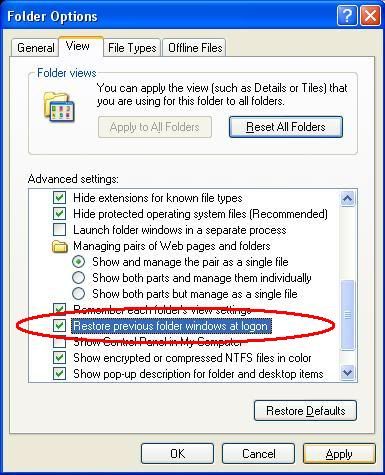
4) Now when you restart your computer you will automatically open the previously opened folders from the same location as before.


0 komentar:
Speak up your mind
Tell us what you're thinking... !